RUNEEE
A downloadable tool for Windows
Press → choose → gone.
RUNEEE is a compact launcher that keeps your everyday Windows apps together.
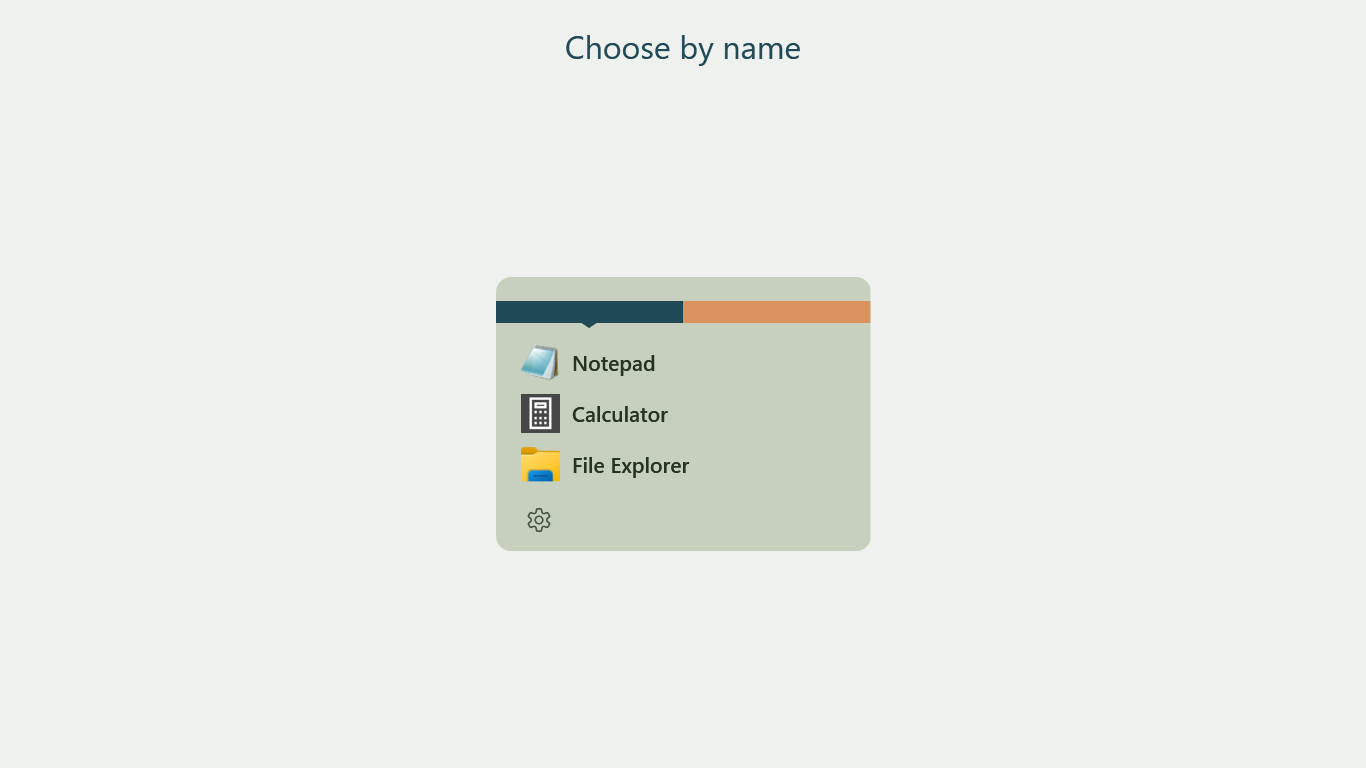
Click the RUNEEE taskbar icon to open your app list. Choose an app to launch it, and RUNEEE minimizes until you need it again. Press Esc or left-click outside the list to hide it.
Pinning RUNEEE to your taskbar is recommended for quick access, but optional. RUNEEE never pins itself without your permission.
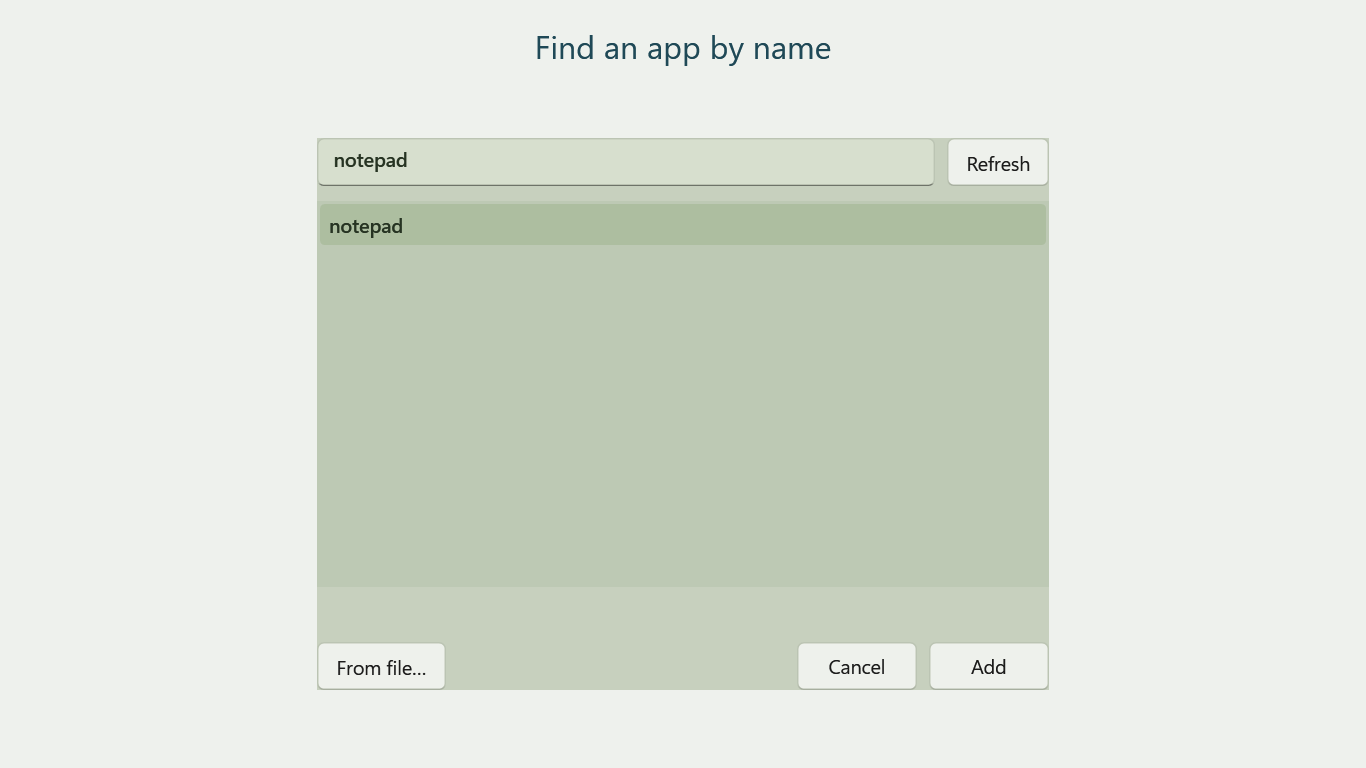
Add apps by name
RUNEEE builds a local searchable app list from the Windows Start menu and desktop. Search by name, or select an executable or shortcut directly if an app is not listed.
Drag apps into RUNEEE
Drop an app executable (.exe) or Windows shortcut (.lnk) onto the open launcher to add it to the current group. The source file stays where it is. Immediately after adding, use Undo addition or Ctrl+Z to undo.
Keep it your way
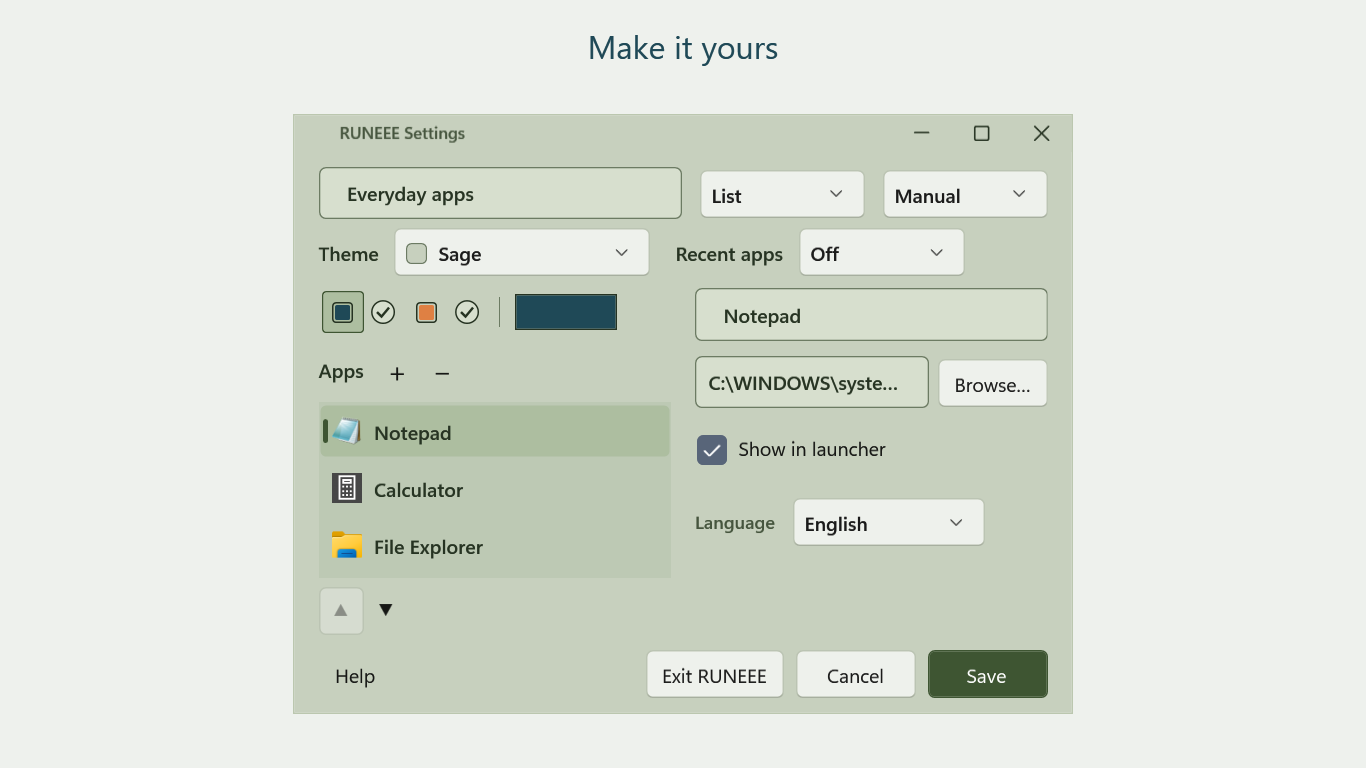
- Organize apps into up to two side-by-side groups.
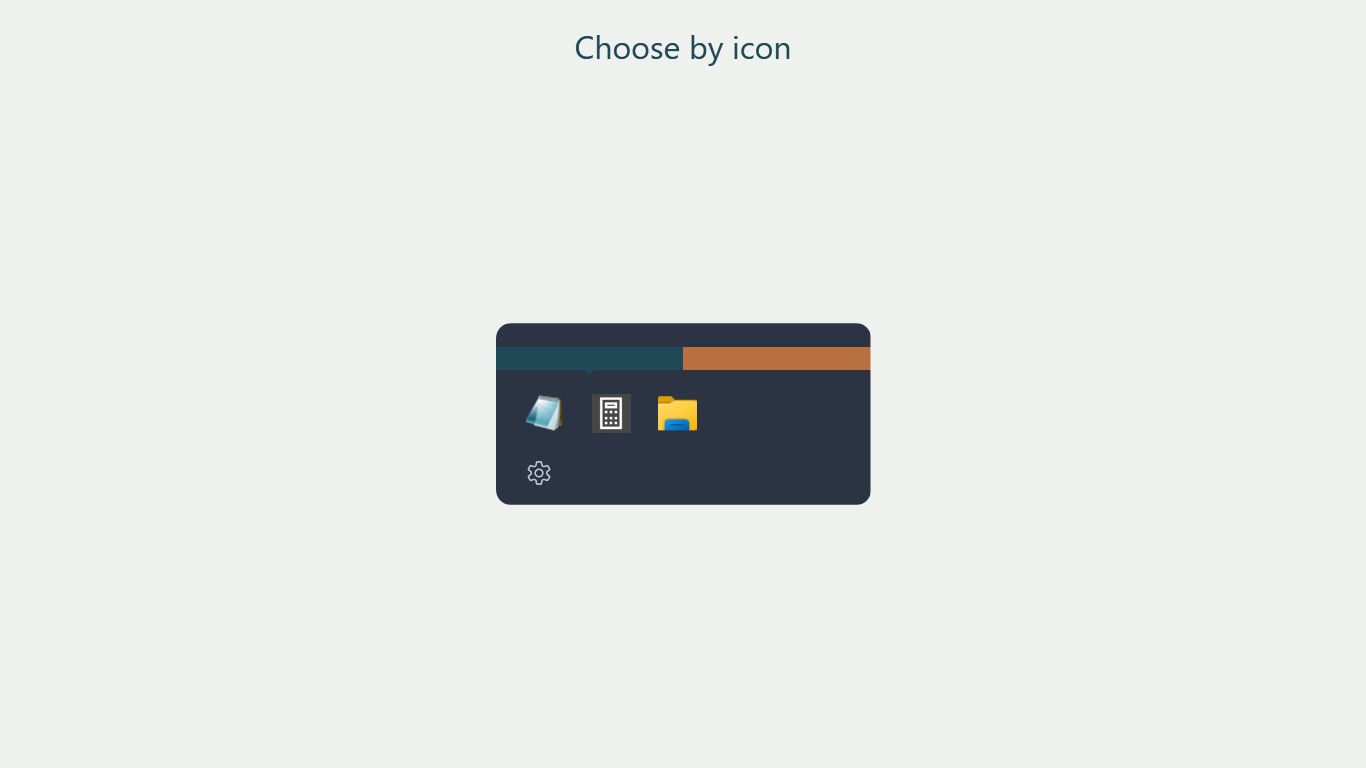
- Switch between a compact list and an icon grid.
- Use manual order or sort by name, with optional recent apps.
- Choose from seven color schemes and group accent colors.
- Select Japanese, English, or your OS language.
You can choose whether RUNEEE starts at Windows sign-in during installation. Closing the window or choosing “Exit RUNEEE” in Settings also ends the waiting session.
Your registered apps and history stay on your device. No ads, analytics, telemetry, or account registration. Basic help and version information are available from Settings.
Free, with optional support
RUNEEE is free to download. Optional payments support future development; all users receive the same app and features.
Update 0.1.2 — October 9, 2026
Added drag-and-drop registration and an orange R taskbar icon. Includes the color-picker fix from 0.1.1. If an old pinned icon remains, start the updated app and pin RUNEEE again.
Update 0.1.1 — October 8, 2026
Fixed dragging in the hue ring and saturation/value square when choosing a group color.
Requirements and installation
Windows 10 or 11, 64-bit (x64). Version 0.1.2.
Download RUNEEE-0.1.2-win-x64-setup.exe and run the installer. It installs per user without requiring administrator privileges. Settings are preserved on uninstall unless you explicitly choose to remove them.
The direct download is unsigned. Windows SmartScreen may show a warning. Verify the source linked by the official TINMOON page and the RUNEEE setup filename; cancel if either is unexpected. Smart App Control or organization policies may block execution. Keep protection enabled and use the Microsoft Store edition, or contact support.
Screenshots are rendered UI examples using sample app registrations.
Official guide · Privacy policy · Terms of use · 日本語ガイド
Support: tinmoon.label@gmail.com
© 2026 TINMOON. All rights reserved.
Download
Click download now to get access to the following files:
Leave a comment
Log in with itch.io to leave a comment.