Picmelle
A downloadable app for Windows
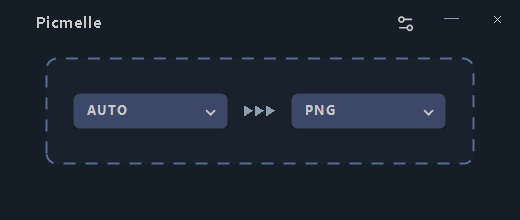
Choose a format, then drop your files.
Picmelle is a free Windows app for converting and resizing images. Convert PNG to JPG, JPG to WebP, or a folder of images in one go while keeping your originals.
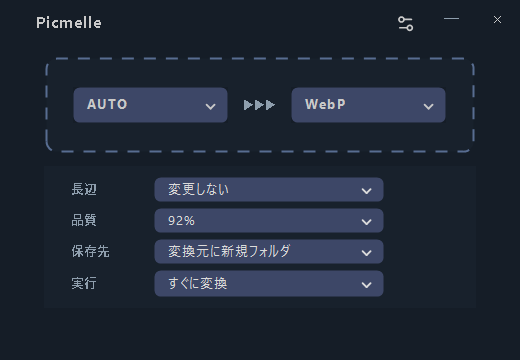
Use Simple mode for the essentials, or Custom mode to choose size, quality, destination, and conversion behavior on the main screen.
Features
- Batch conversion of files and folders.
- Set the length of the image's longer side to resize it.
- Adjustable JPG and WebP quality.
- A choice of destination and whether to open the output folder afterward.
- Copy images unchanged when the format matches and no resizing is needed.
Picmelle does not overwrite originals or existing output files. Conversion takes place on your PC. There are no image uploads, accounts, ads, or usage analytics.
Download and setup
Right-click the downloaded file and choose “Extract All.” Open the resulting folder and double-click “Picmelle” to start.
All required components are included, so please keep the files in the folder together without deleting them or moving them to separate locations.
Choose an output format and drop your images or folders onto the app. See the included README for details. To update the ZIP version distributed here, download the new release.
Supported image formats
Formats you can open and save
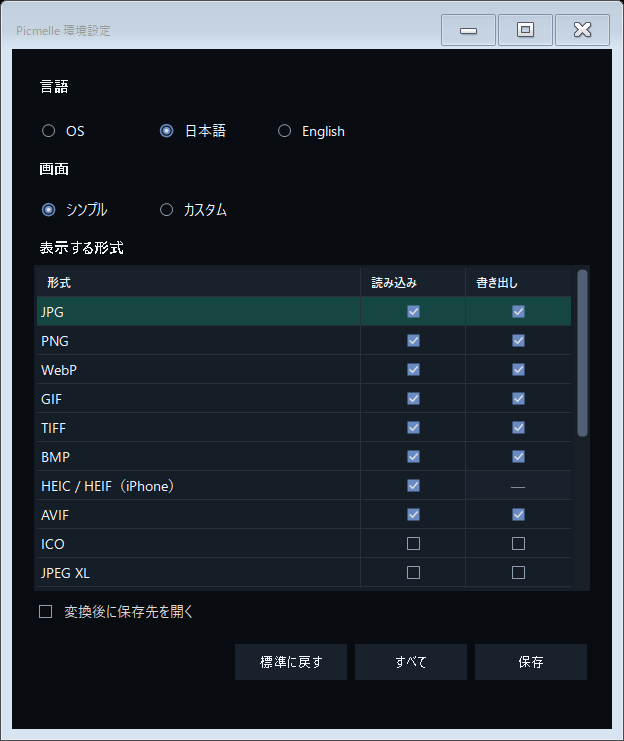
JPG (JPEG), PNG, WebP, GIF, TIFF, BMP, AVIF, ICO, JPEG XL, PSD, TGA, DDS, JPEG 2000, OpenEXR, HDR, QOI, PNM.
Formats you can open and convert to other formats
HEIC/HEIF and RAW/DNG. Saving in these formats is not supported.
Supported RAW file extensions: DNG, CR2, CR3, NEF, ARW, RAF, ORF, RW2, PEF, SRW, 3FR.
Choose which formats appear in the app through Settings. Some files may not open, depending on how they were saved or the camera model.
Conversion notes
For animated or multi-page images, you can convert just the first frame or page, or leave the image out of the conversion. Transparent areas and details such as when a photo was taken may be lost, depending on the format you save to. Keep your originals and check the results.
Free download and optional support
You can download and use Picmelle for free. Donations are optional. Choose “No thanks, just take me to the downloads” to download without paying.
Made by TINMOON.
Additional information
This release is for 64-bit Windows on x64 PCs. The app download is named Picmelle-0.1.0-win-x64.zip, and the file you open is Picmelle.exe.
Technical note: .NET 10 Desktop Runtime and the image-conversion component Magick.Native-Q8-x64.dll are included.
Third-party license information is included in THIRD-PARTY-NOTICES.md and the licenses folder in the app download.
Image quality note: Picmelle is not intended to preserve all the fine color and brightness detail in high-bit-depth or HDR images.
For developers
This section is for developers who want to study or modify the software. You do not need these materials to convert images.
Source code and build instructions for the third-party image-conversion components are provided in Picmelle-14.17.1-engine-sources.zip (about 310 MB), available free on this page without a donation. This archive does not include Picmelle's own source code.
Download
Click download now to get access to the following files: