COCORIKA
A downloadable tool for Windows
COCORIKA — Point to a detail. Add a few words. Copy it.
Make “look here” clear.
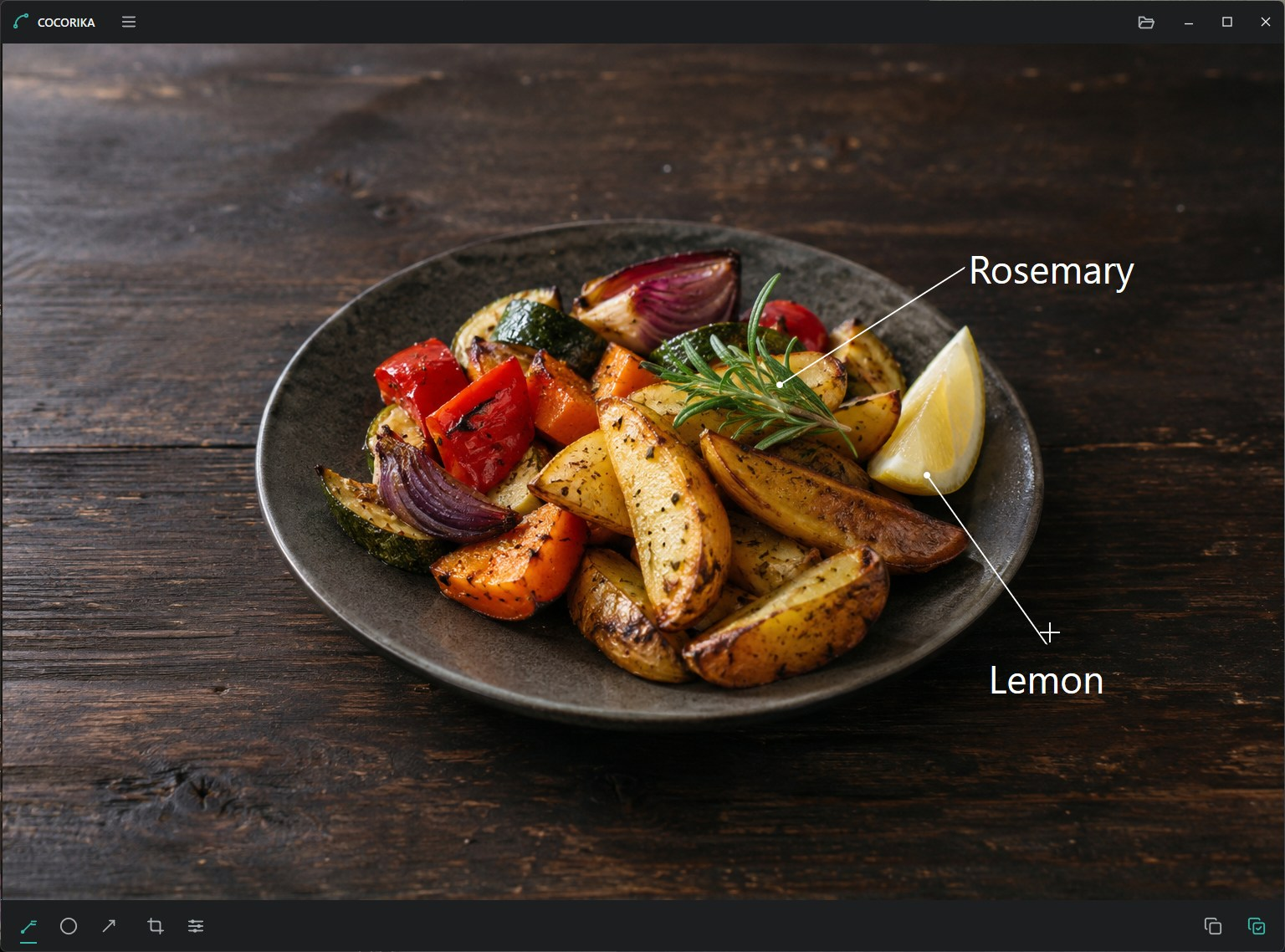
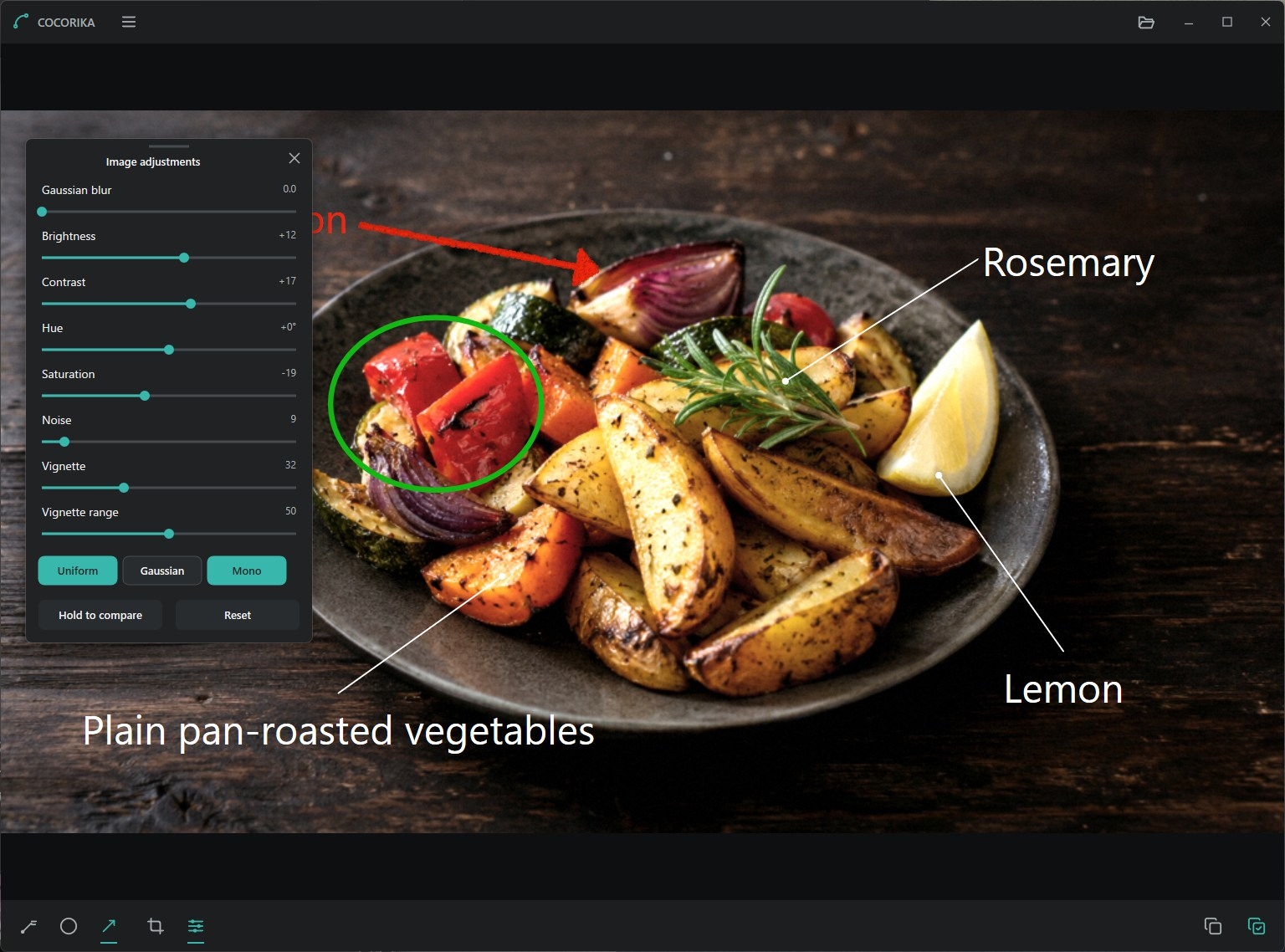
COCORIKA is a Windows app for adding a line and a short label, circles, or arrows to an image, then copying it back to your conversation.
Paste an image or open a PNG or JPEG. Point to the detail you want to highlight, add a few words, and copy the result into a chat or another app. You can also drop one PNG or JPEG file onto the window, then drop the next image while editing to switch immediately.
Features
- Label lines connecting a target dot, a thin line, and your text
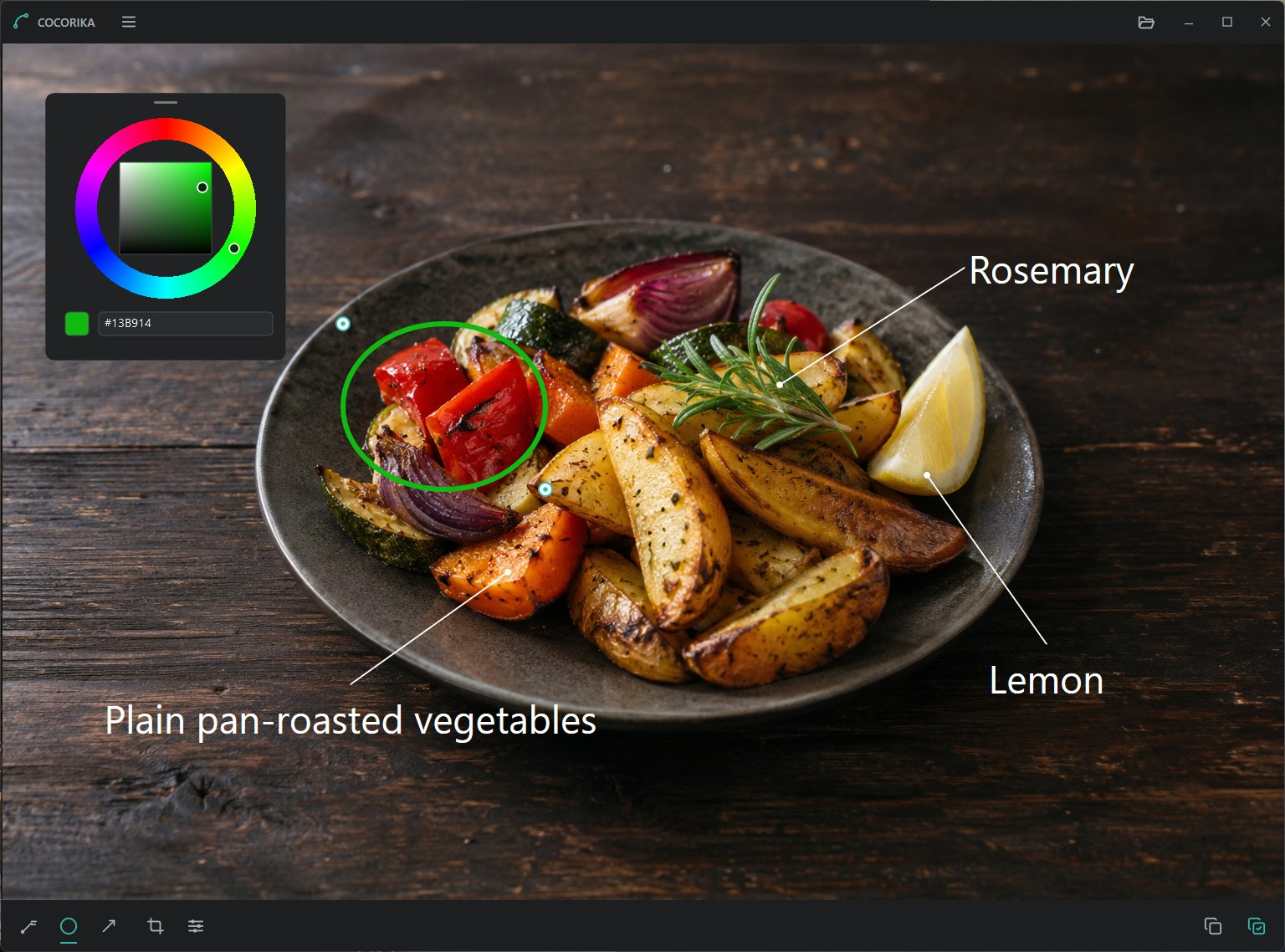
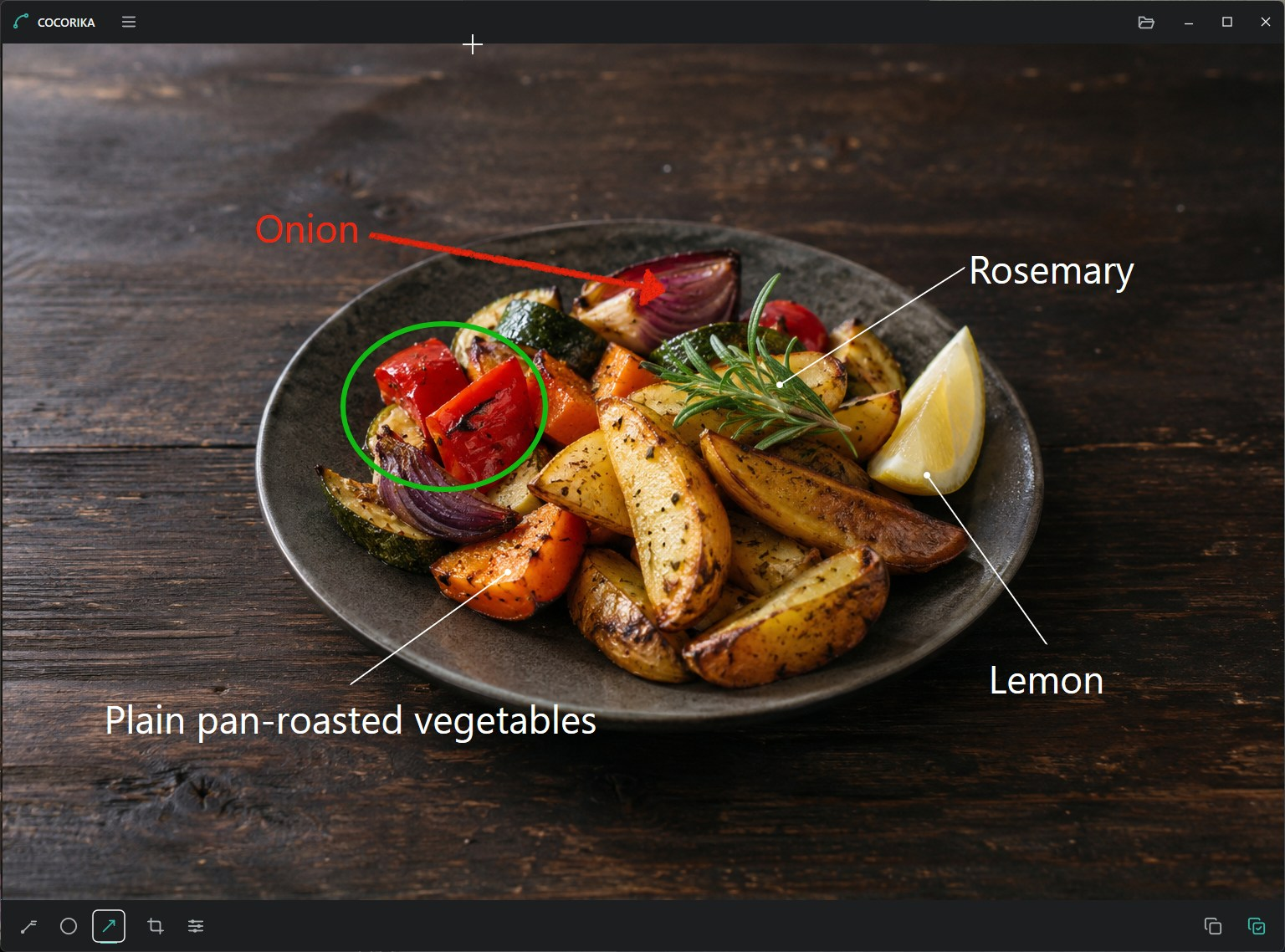
- Circles and colored-pencil-style arrows with adjustable curves
- Text-only annotations without a line
- Move annotations, change colors, and choose fonts and text sizes
- Adjustable white or black annotation shadows with opacity, distance, and softness
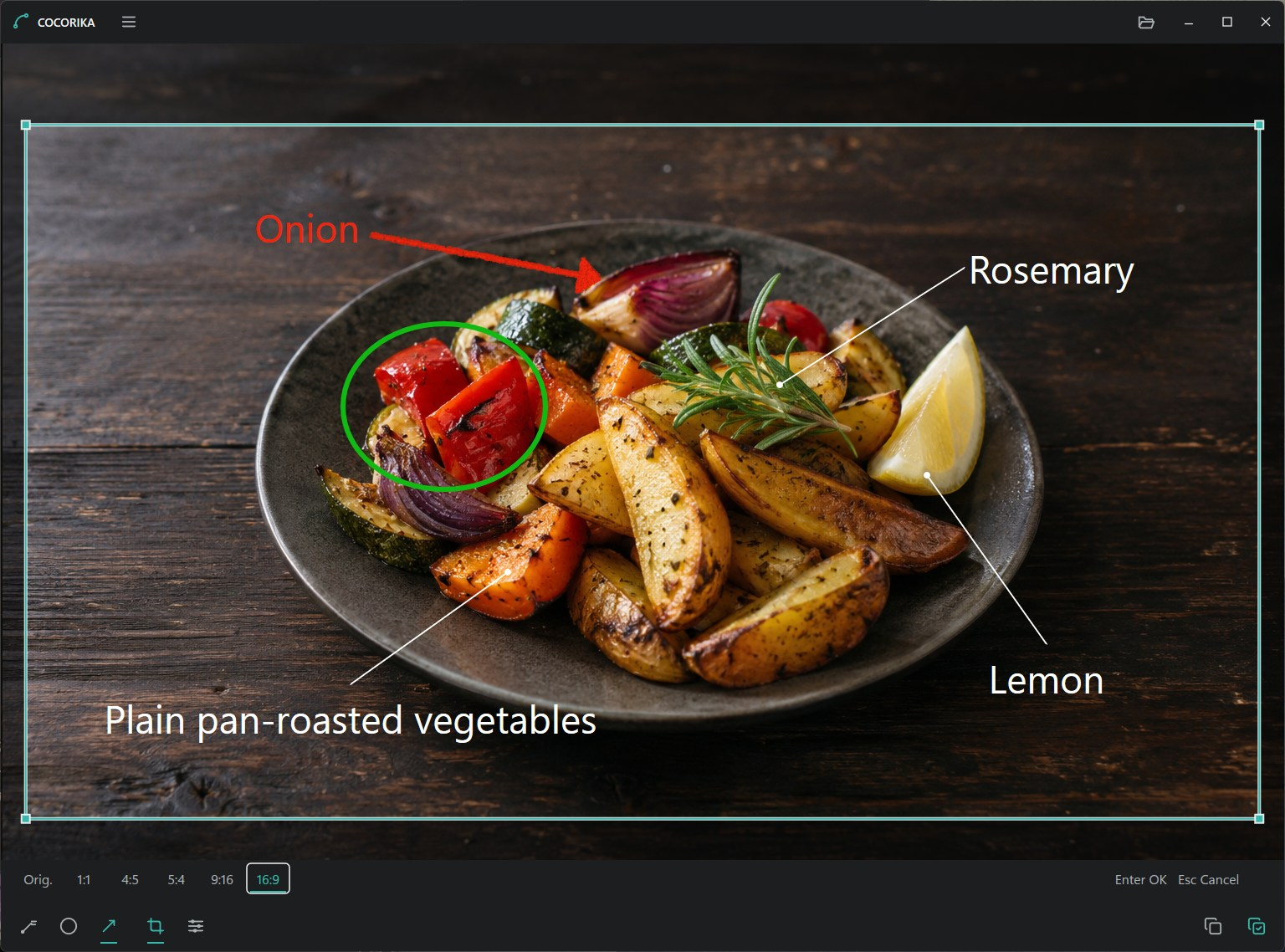
- Crop with presets including 1:1, 4:5, 5:4, 9:16, and 16:9
- Adjust blur, brightness, contrast, hue, saturation, noise, and vignette
- Zoom with the mouse wheel or keyboard, pan with Space+drag, and return to actual size or fit view
- Undo, redo, copy the result, or copy and close
Image adjustments affect only the image, keeping annotations and text sharp. Move the color wheel and adjustment panel outside the app window to keep the image in view.
The interface is available in Japanese and English. Open Preferences from the menu beside COCORIKA and choose Automatic, 日本語, or English. Automatic uses Japanese on a Japanese OS and English otherwise. A short Help guide is available from the same menu.
How to use it
- Press Ctrl+V to paste an image, or use Ctrl+O or file drop to open a PNG or JPEG.
- Choose a label line, circle, or arrow from the bottom toolbar and drag on the image. After drawing a line or arrow, you can type a label immediately.
- Press Ctrl+C to copy the result, then paste it into another app. Ctrl+Shift+C copies and closes COCORIKA.
Saving and privacy
Your original image files are not overwritten. Images are processed on your PC; COCORIKA itself does not upload them to a server. No account is required.
The result is copied to the clipboard. COCORIKA does not save image files or save and restore editing projects. Opening or pasting another image clears the previous edits and undo history. Copy any result you want to keep before moving to the next image.
When you choose an interface language, only that preference is saved in your local user settings. This also applies to the Portable edition. Windows clipboard history or sync, and the app you paste into, are governed by their own settings and policies.
Price
Download for free, with an optional contribution if you would like to support development. Contributions do not unlock additional features or guarantee individual support, fixes, or new features.
Downloads and requirements
- Installer: installs for the current Windows user. No administrator privileges are required.
- Portable: extract the ZIP and run COCORIKA.exe. No installation is needed. Language preferences are stored in your local user settings and remain after the Portable folder is deleted.
- Windows 10 version 1809 or later / Windows 11, x64. Real-device testing was performed on Windows 11.
Before downloading or running
The installer and the executable in the Portable edition distributed through itch.io are not code-signed. Windows may show a Microsoft Defender SmartScreen warning such as “Windows protected your PC”.
An app reputation warning alone does not mean malware was detected, but it does not guarantee the file is safe either. Verify that the download comes from TINMOON's official page and that its file name and SHA-256 checksum match the listed values. Do not run a file if you are unsure of its source.
Some Windows configurations, Smart App Control, or organization policies may prevent the app from running. We do not recommend disabling Windows security features to bypass these protections.
If you prefer to have the Store manage installation and updates, COCORIKA is also available for free from the Microsoft Store. The app has the same features.
File names and SHA-256 checksums
Installer: COCORIKA-0.2.0-x64-setup.exe (351473 bytes)
D3AD473AC9EBC235D0BB6DC4AC84B0224DD025A2AC9BD091854F89E417E934F7
Portable: COCORIKA-0.2.0-x64-portable.zip (320879 bytes)
91AB5615AD8ADA0895B24D2645C56040F570015527239EC6D96FAE95B10CA7D4
Contact, bug reports, and feature requests
tinmoon.label@gmail.com
Reports and requests are welcome, but we cannot guarantee a reply or action on every submission, fixes, new features, or a particular timeline.
For a bug report, please include your Windows and COCORIKA versions, the steps that led to the issue, and the expected and actual results. Please do not send images containing personal or confidential information.
Download
Click download now to get access to the following files:
Also available on